> ## Documentation Index
> Fetch the complete documentation index at: https://docs.readinessrecord.co.uk/llms.txt
> Use this file to discover all available pages before exploring further.
# Findings Review
> Reading the evidence and deciding each finding
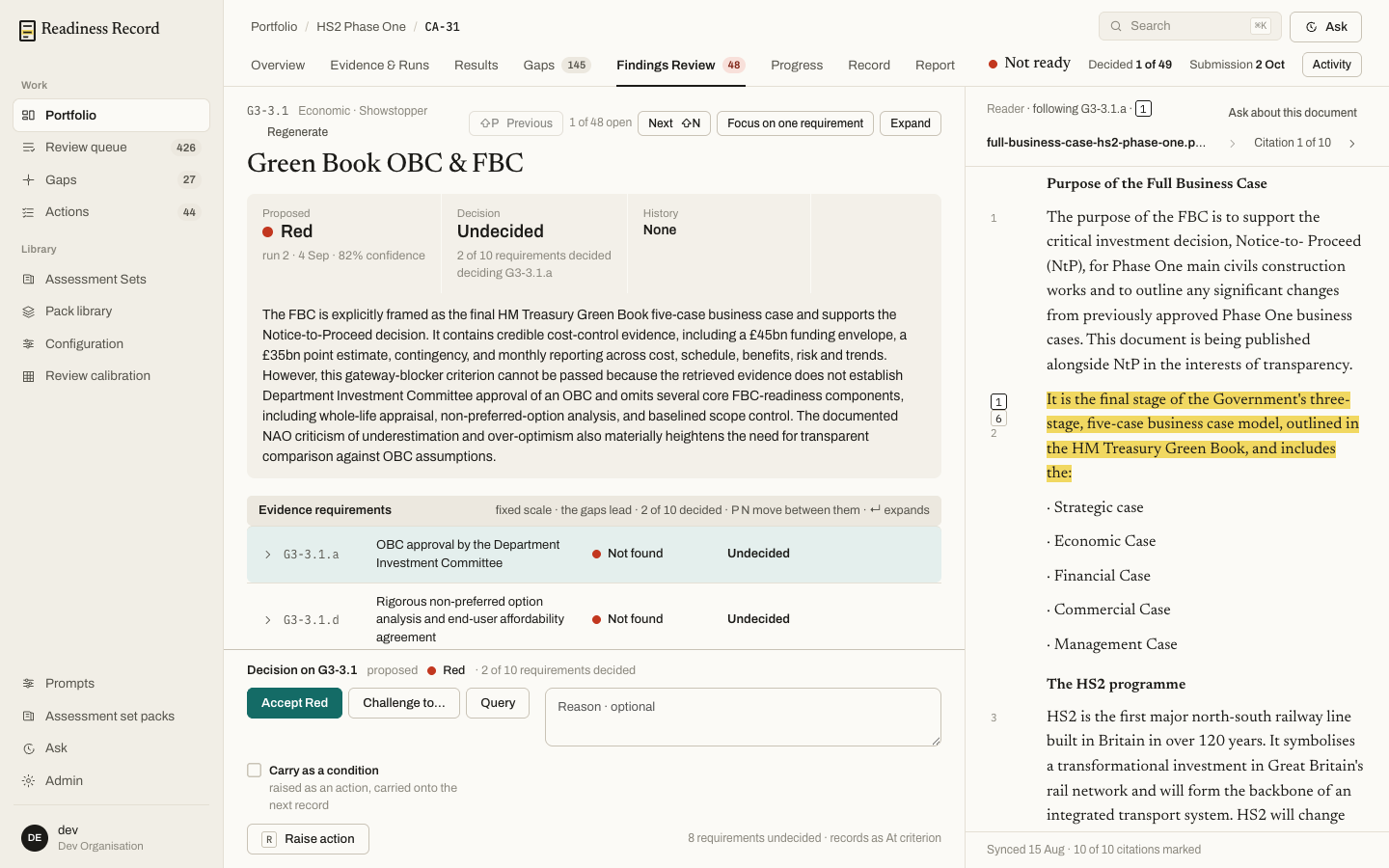
**Findings Review** is where a human reviewer works through the assessment's findings one at a time, reads the AI's rationale and its cited source passages, and records a decision.
 ## A finding
Each finding shows:
* The **proposed** rating and the run and confidence it came from
* The **decision** so far, and how many of the criterion's evidence requirements have been decided
* The rationale — why the engine proposed what it did
* Its **evidence requirements** — the individual things this criterion checks for, each with its own status (**Not found**, **Partial**, or matched) and its own decision
Use **Previous** / **Next** to move through the open findings, or **Focus on one requirement** to work a single evidence requirement at a time. **Expand** opens the finding full-width.
## Reading the source
The right-hand **Reader** panel shows the actual source document, with the passages the engine cited highlighted and numbered against the citations in the rationale. **Ask about this document** opens a question directly against what's on screen — see [Ask and search](/sops/12-ask-search).
## A finding
Each finding shows:
* The **proposed** rating and the run and confidence it came from
* The **decision** so far, and how many of the criterion's evidence requirements have been decided
* The rationale — why the engine proposed what it did
* Its **evidence requirements** — the individual things this criterion checks for, each with its own status (**Not found**, **Partial**, or matched) and its own decision
Use **Previous** / **Next** to move through the open findings, or **Focus on one requirement** to work a single evidence requirement at a time. **Expand** opens the finding full-width.
## Reading the source
The right-hand **Reader** panel shows the actual source document, with the passages the engine cited highlighted and numbered against the citations in the rationale. **Ask about this document** opens a question directly against what's on screen — see [Ask and search](/sops/12-ask-search).
 ## Deciding a finding
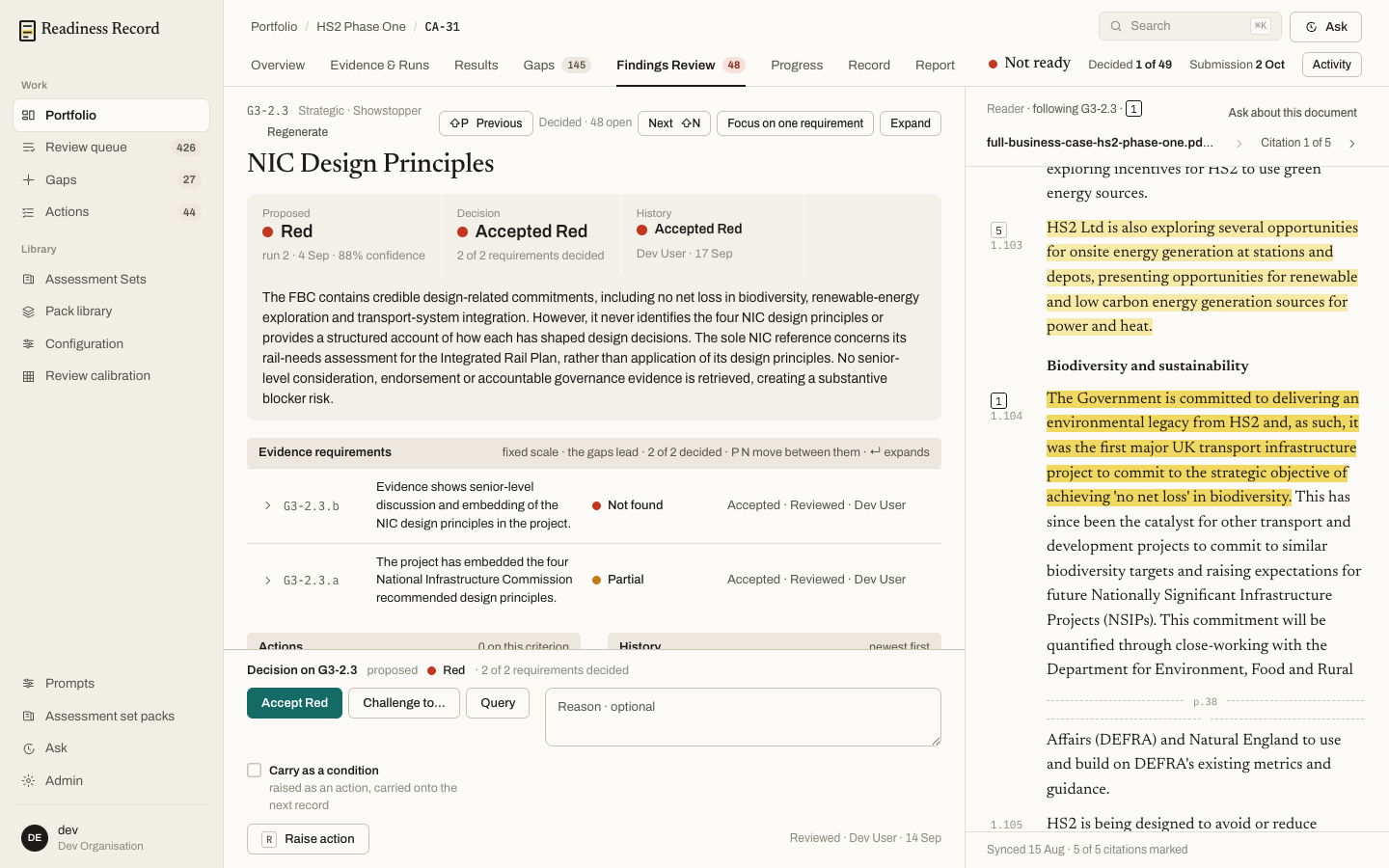
At the bottom of the panel:
* **Accept \[rating]** — agree with the proposed rating.
* **Challenge to…** — override the rating and record your own.
* **Query** — flag the finding for someone else, with an optional reason.
* **Carry as a condition** — the finding travels forward as a condition on the signed record, and onto the next one, rather than blocking sign-off now.
* **Raise action** — create a remediation task straight from the finding (see [Gaps, Actions and Obligations](/sops/07-gaps-actions)).
The header always shows the assessment's live headline: its current position (e.g. **Not ready**), how many findings are decided out of the total, the submission date, and an **Activity** log.
## What's next
* **[Gaps, Actions and Obligations](/sops/07-gaps-actions)** — turn undecided or failing criteria into work
* **[Record and Approval record](/sops/09-record)** — where decisions become a signed position
## Deciding a finding
At the bottom of the panel:
* **Accept \[rating]** — agree with the proposed rating.
* **Challenge to…** — override the rating and record your own.
* **Query** — flag the finding for someone else, with an optional reason.
* **Carry as a condition** — the finding travels forward as a condition on the signed record, and onto the next one, rather than blocking sign-off now.
* **Raise action** — create a remediation task straight from the finding (see [Gaps, Actions and Obligations](/sops/07-gaps-actions)).
The header always shows the assessment's live headline: its current position (e.g. **Not ready**), how many findings are decided out of the total, the submission date, and an **Activity** log.
## What's next
* **[Gaps, Actions and Obligations](/sops/07-gaps-actions)** — turn undecided or failing criteria into work
* **[Record and Approval record](/sops/09-record)** — where decisions become a signed position