> ## Documentation Index
> Fetch the complete documentation index at: https://docs.readinessrecord.co.uk/llms.txt
> Use this file to discover all available pages before exploring further.
# Configuration
> Vocabulary, scoring and readiness, for your organisation
**Configuration** (Library section of the sidebar; Admin role required to publish changes) is where an organisation tunes the platform's shared behaviour. It has four tabs: Vocabulary, Scoring & readiness, Custom fields, and Output & branding.
## Vocabulary
Rename the nouns the product uses across every screen, for your organisation only — the platform's word stays the reference; your word is what everyone sees.
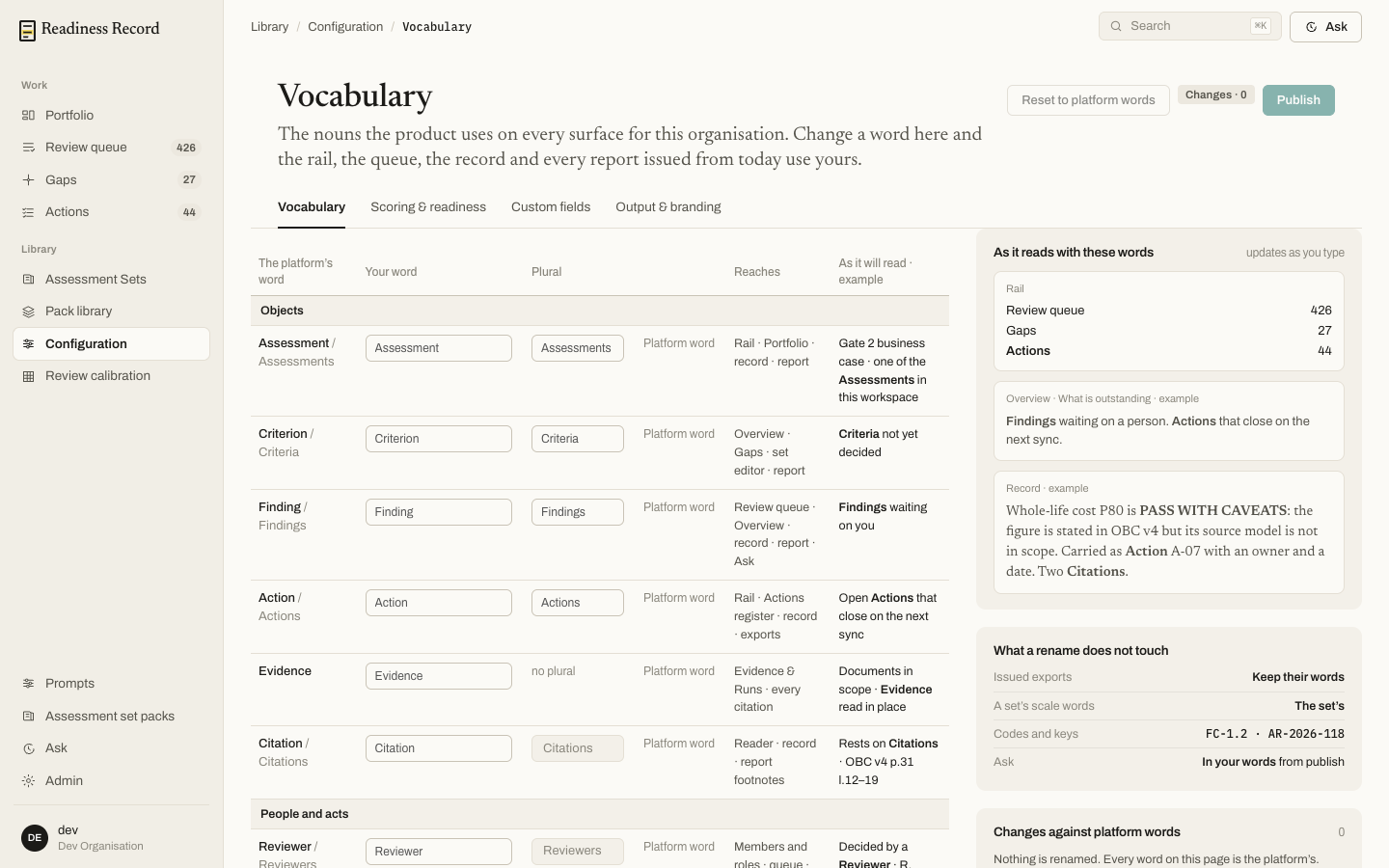 Renameable objects include Assessment, Criterion, Finding, Action, Evidence and Citation, plus roles like Reviewer. A live preview on the right shows exactly how your words will read across the rail, the Overview page, and a sample record entry, before you publish. A rename never touches issued exports, a set's own scale words, codes and keys, or Ask.
## Scoring & readiness
Set how hard it is to pass, for every enabled set in your organisation.
Renameable objects include Assessment, Criterion, Finding, Action, Evidence and Citation, plus roles like Reviewer. A live preview on the right shows exactly how your words will read across the rail, the Overview page, and a sample record entry, before you publish. A rename never touches issued exports, a set's own scale words, codes and keys, or Ask.
## Scoring & readiness
Set how hard it is to pass, for every enabled set in your organisation.
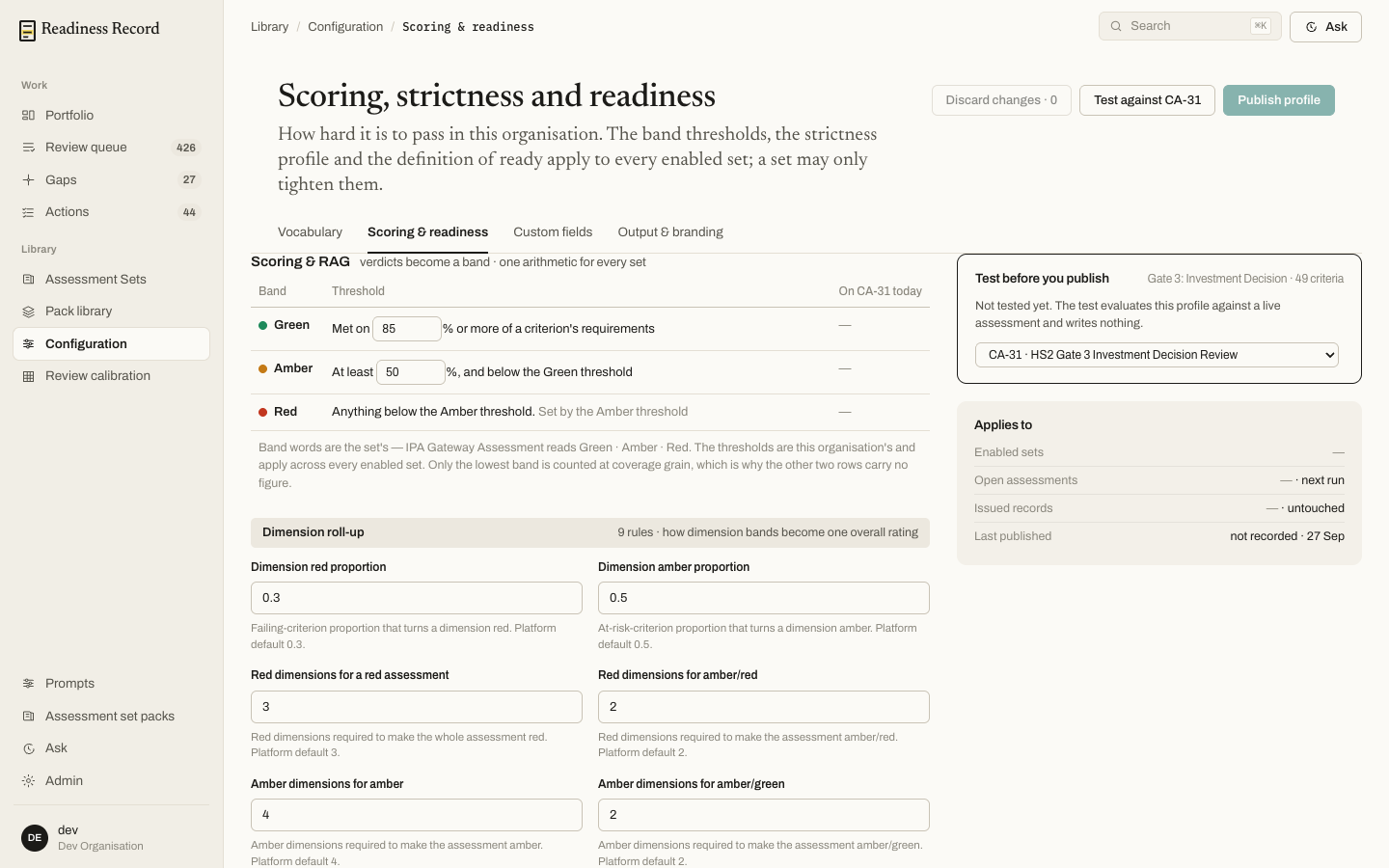 * **Scoring & RAG** — the percentage threshold a criterion must meet for Green, and for Amber; anything below Amber is Red. These thresholds apply across every enabled set; a set may only tighten them, never loosen them.
* **Dimension roll-up** — the rules that turn a set of criterion-level bands into one overall rating per dimension, and then per assessment (e.g. how many Red dimensions make the whole assessment Red).
**Test against \[assessment]** runs the current, unpublished profile against a live assessment to show its effect before you commit — it evaluates only, and writes nothing. **Publish profile** applies the change organisation-wide.
## Custom fields and Output & branding
The remaining two tabs let you add organisation-specific fields to records, and control branding on generated output (see [Reports and exports](/sops/10-reports-export)).
## What's next
* **[Assessment Sets and Pack library](/sops/03-assessment-sets)** — the frameworks these settings apply to
* **Scoring & RAG** — the percentage threshold a criterion must meet for Green, and for Amber; anything below Amber is Red. These thresholds apply across every enabled set; a set may only tighten them, never loosen them.
* **Dimension roll-up** — the rules that turn a set of criterion-level bands into one overall rating per dimension, and then per assessment (e.g. how many Red dimensions make the whole assessment Red).
**Test against \[assessment]** runs the current, unpublished profile against a live assessment to show its effect before you commit — it evaluates only, and writes nothing. **Publish profile** applies the change organisation-wide.
## Custom fields and Output & branding
The remaining two tabs let you add organisation-specific fields to records, and control branding on generated output (see [Reports and exports](/sops/10-reports-export)).
## What's next
* **[Assessment Sets and Pack library](/sops/03-assessment-sets)** — the frameworks these settings apply to