
The Portfolio
The Portfolio is every assessment you have access to, grouped into workspaces — one group per programme, project or thing being assessed (for example “HS2 Phase One” or “Fenland Solar Park”). Each workspace can hold several assessments: different gates, different frameworks, or repeat reviews of the same deliverable.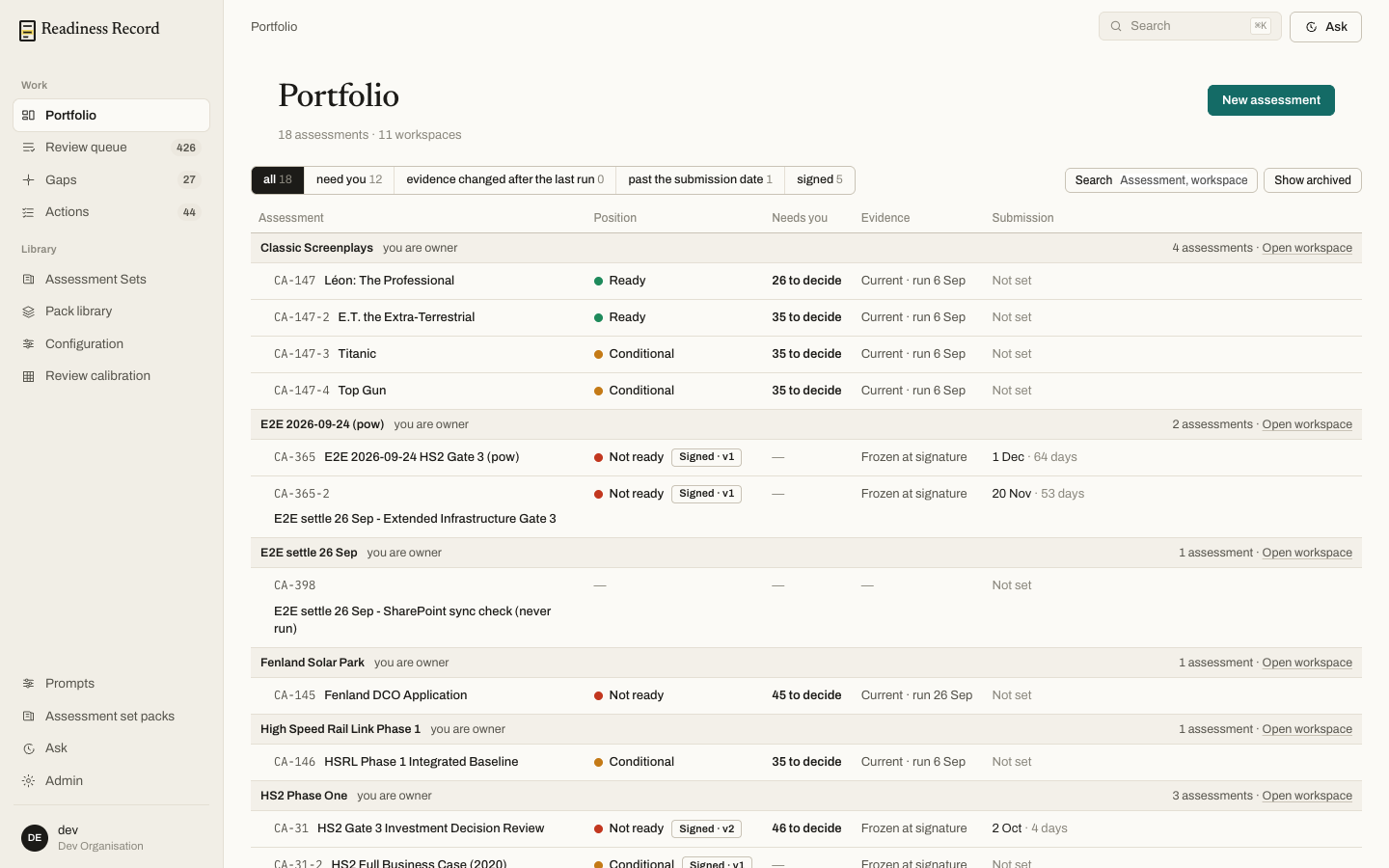 For each assessment the Portfolio shows:
- Position — the current overall rating (Ready, Conditional, Not ready), and whether it’s Signed to a version
- Needs you — how many findings are waiting on your decision
- Evidence — whether the evidence backing the last run is still current, or has drifted
- Submission — the date the assessment is working towards, and how many days remain
Opening a workspace
Click Open workspace next to any group to see every assessment inside it — useful when one workspace has several gates or several document sets under review.Assessment identifiers
Every assessment has a short code (for example CA-31), shown in the breadcrumb and used throughout the app and in exports. A related re-run or companion assessment in the same workspace is numbered off it (CA-31-2, and so on).What’s next
- Documents — connect the material an assessment reads
- Running an assessment — create a new one