
Vocabulary
Rename the nouns the product uses across every screen, for your organisation only — the platform’s word stays the reference; your word is what everyone sees.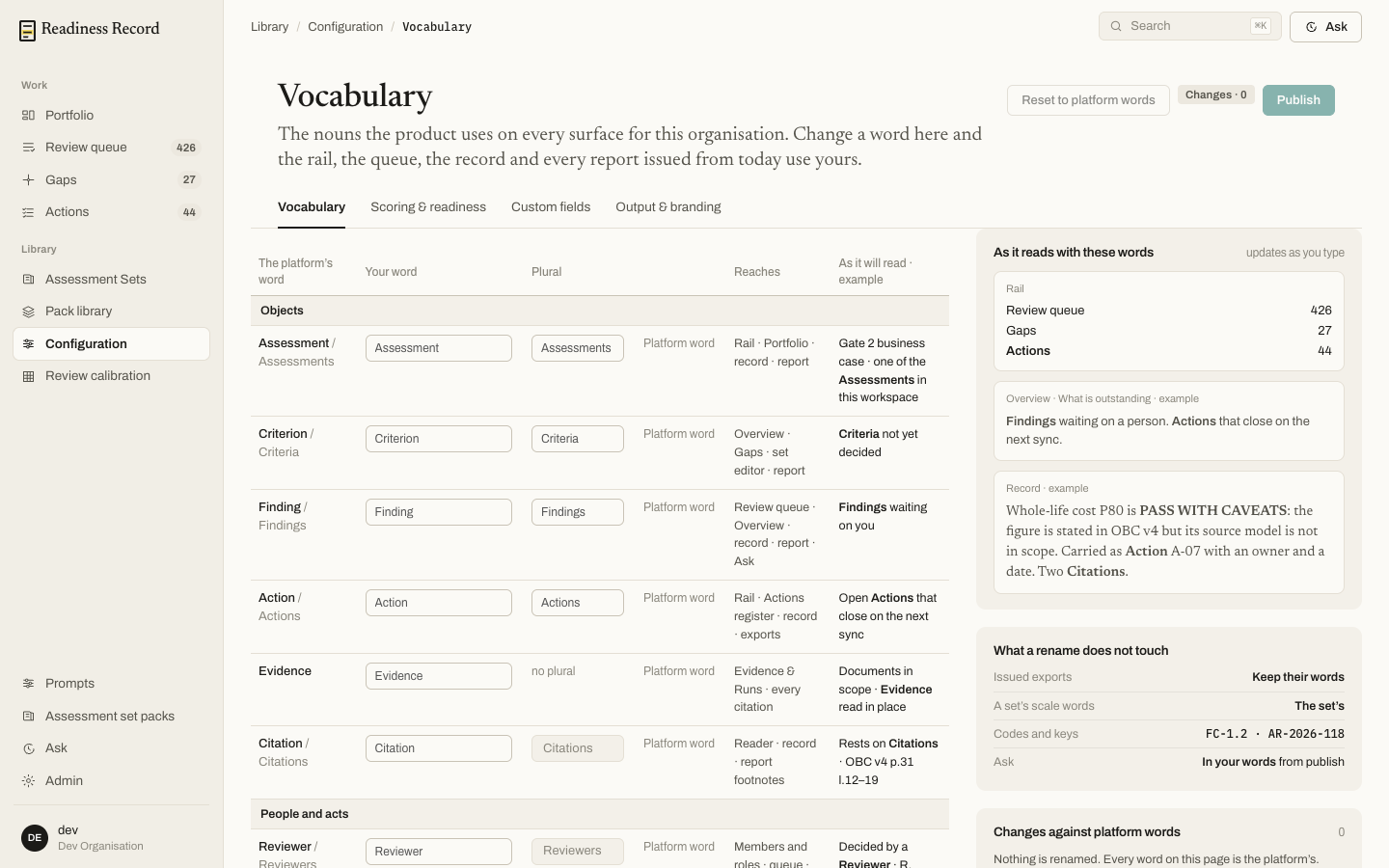 Renameable objects include Assessment, Criterion, Finding, Action, Evidence and Citation, plus roles like Reviewer. A live preview on the right shows exactly how your words will read across the rail, the Overview page, and a sample record entry, before you publish. A rename never touches issued exports, a set’s own scale words, codes and keys, or Ask.
Scoring & readiness
Set how hard it is to pass, for every enabled set in your organisation.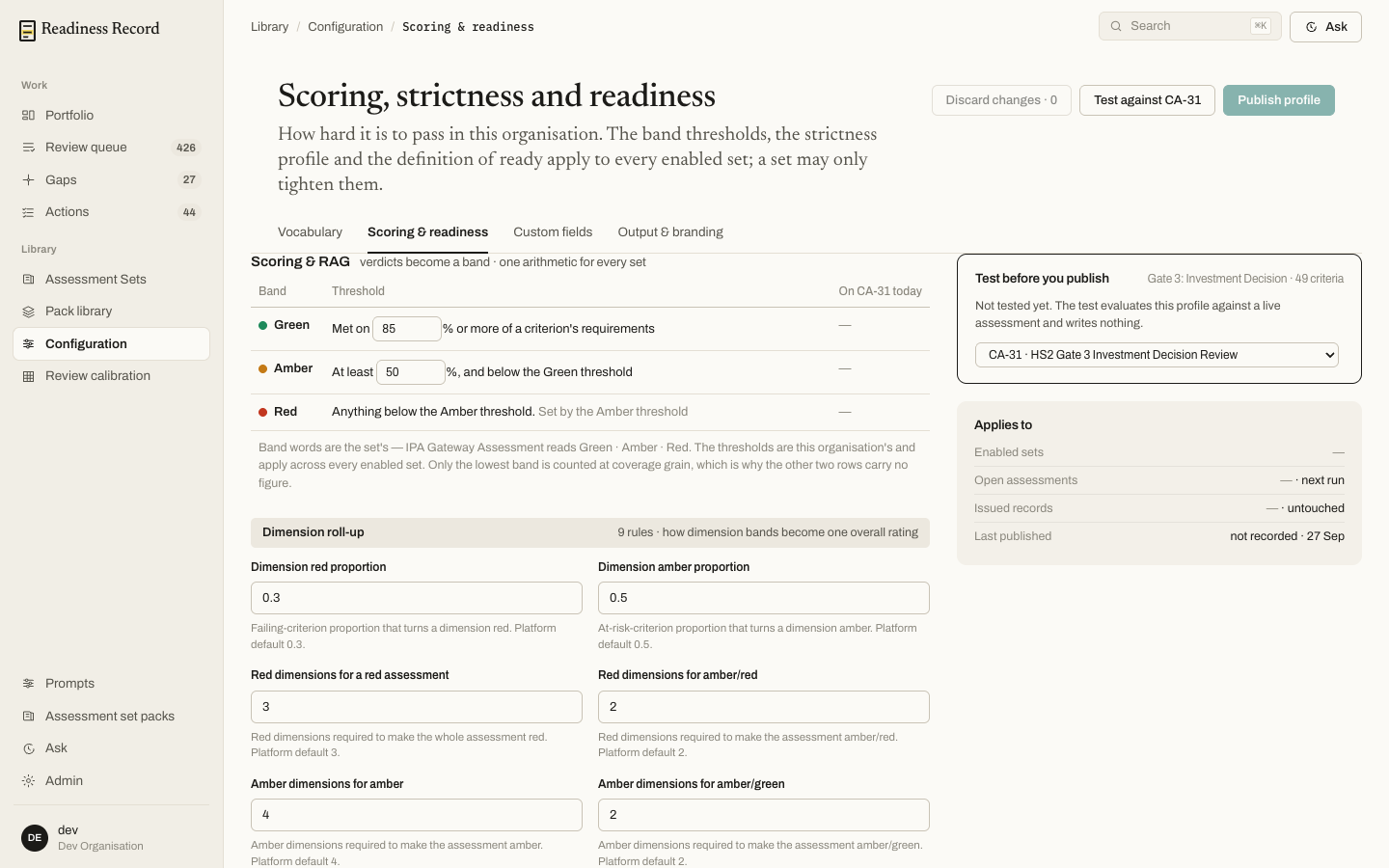
- Scoring & RAG — the percentage threshold a criterion must meet for Green, and for Amber; anything below Amber is Red. These thresholds apply across every enabled set; a set may only tighten them, never loosen them.
- Dimension roll-up — the rules that turn a set of criterion-level bands into one overall rating per dimension, and then per assessment (e.g. how many Red dimensions make the whole assessment Red).
Custom fields and Output & branding
The remaining two tabs let you add organisation-specific fields to records, and control branding on generated output (see Reports and exports).What’s next
- Assessment Sets and Pack library — the frameworks these settings apply to