
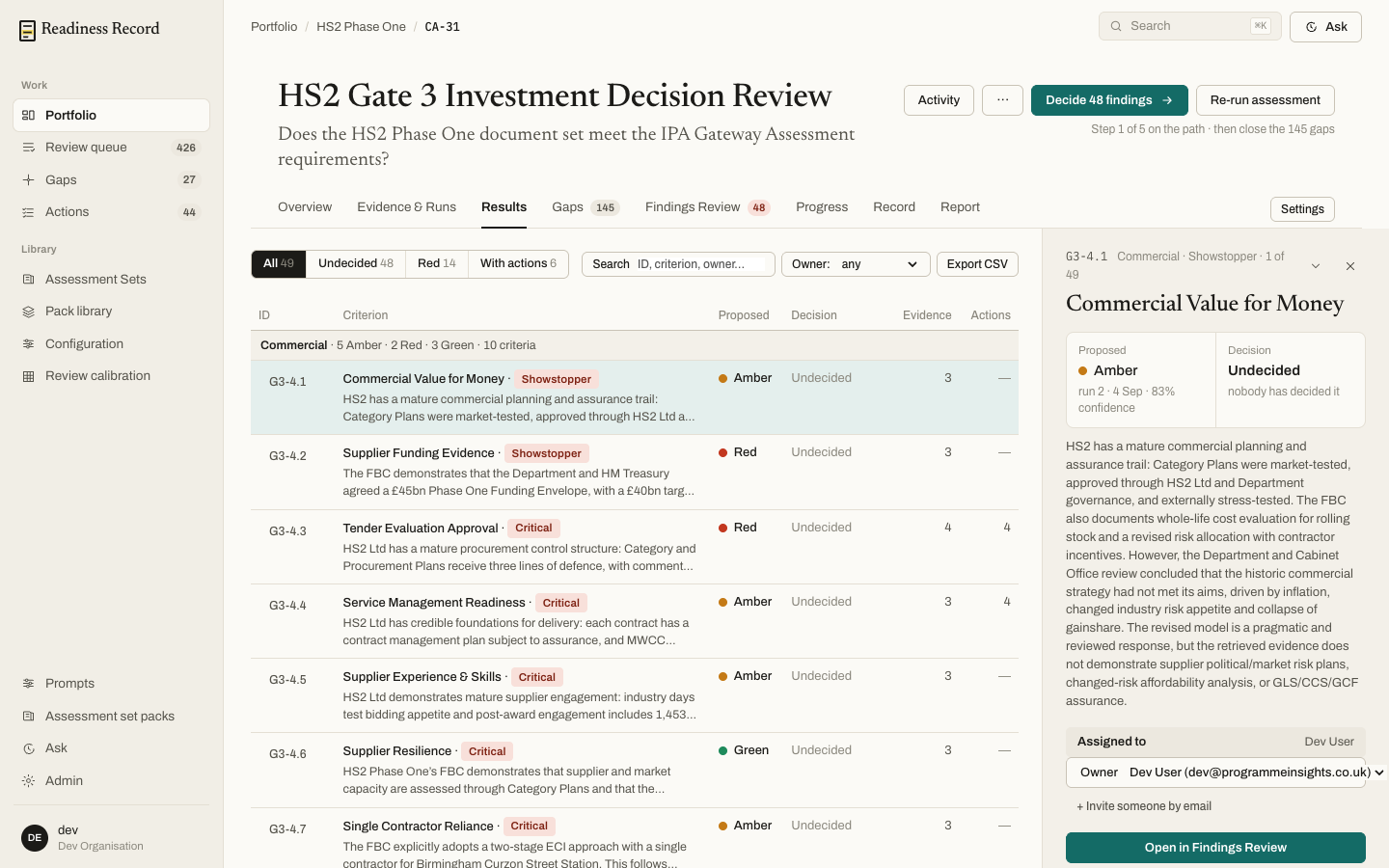
 Filter by All, Undecided, Red, or With actions, search by ID, criterion or owner, or filter by owner. Criteria carrying a Showstopper or Critical tag are called out — these are the ones the assessment set has flagged as capable of capping the whole position, whatever the arithmetic says.
Click any row to open its detail on the right: the proposed rating with its confidence and the run it came from, the current decision, the full rationale text, and who it’s assigned to. Open in Findings Review takes you into the decision workflow itself.
Filter by All, Undecided, Red, or With actions, search by ID, criterion or owner, or filter by owner. Criteria carrying a Showstopper or Critical tag are called out — these are the ones the assessment set has flagged as capable of capping the whole position, whatever the arithmetic says.
Click any row to open its detail on the right: the proposed rating with its confidence and the run it came from, the current decision, the full rationale text, and who it’s assigned to. Open in Findings Review takes you into the decision workflow itself.
What’s next
- Findings Review — read the evidence and decide
- Gaps, Actions and Obligations — what’s still missing