
Assessment Sets
An assessment set holds the criteria an assessment is tested against, the scale they are rated on, and the sections a report is built from. Readiness Record ships with a library of sets for government and regulatory work (for example IPA Gateway Assessment, Business Case Assessment and DCO Compliance), for construction (RAMS Review, CDM Construction Phase Plan Review, NEC Compliance Review and BSA Gateway Assessment), for bids, and for an organisation’s own procedures.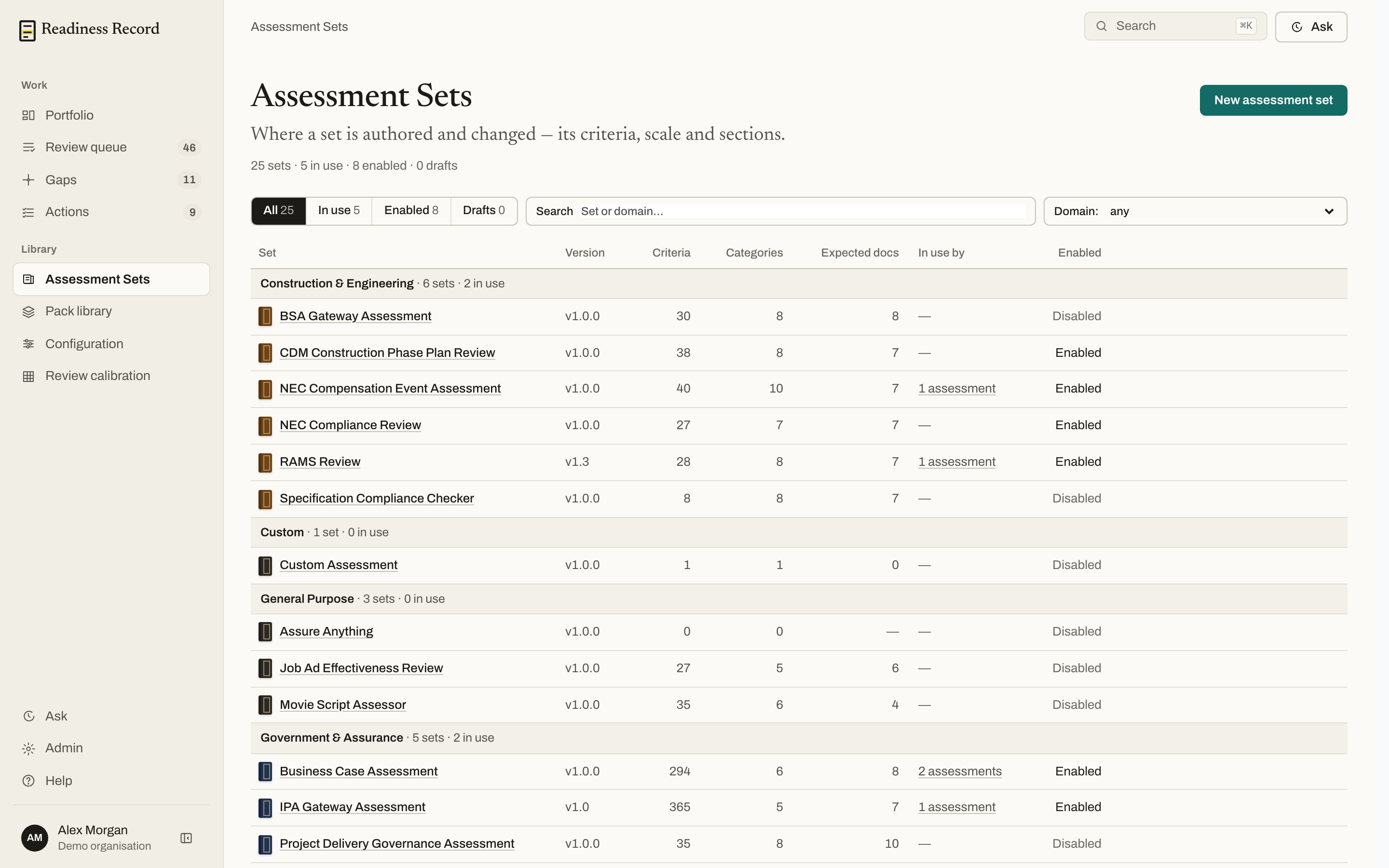
A set page
Click a set’s name to open it.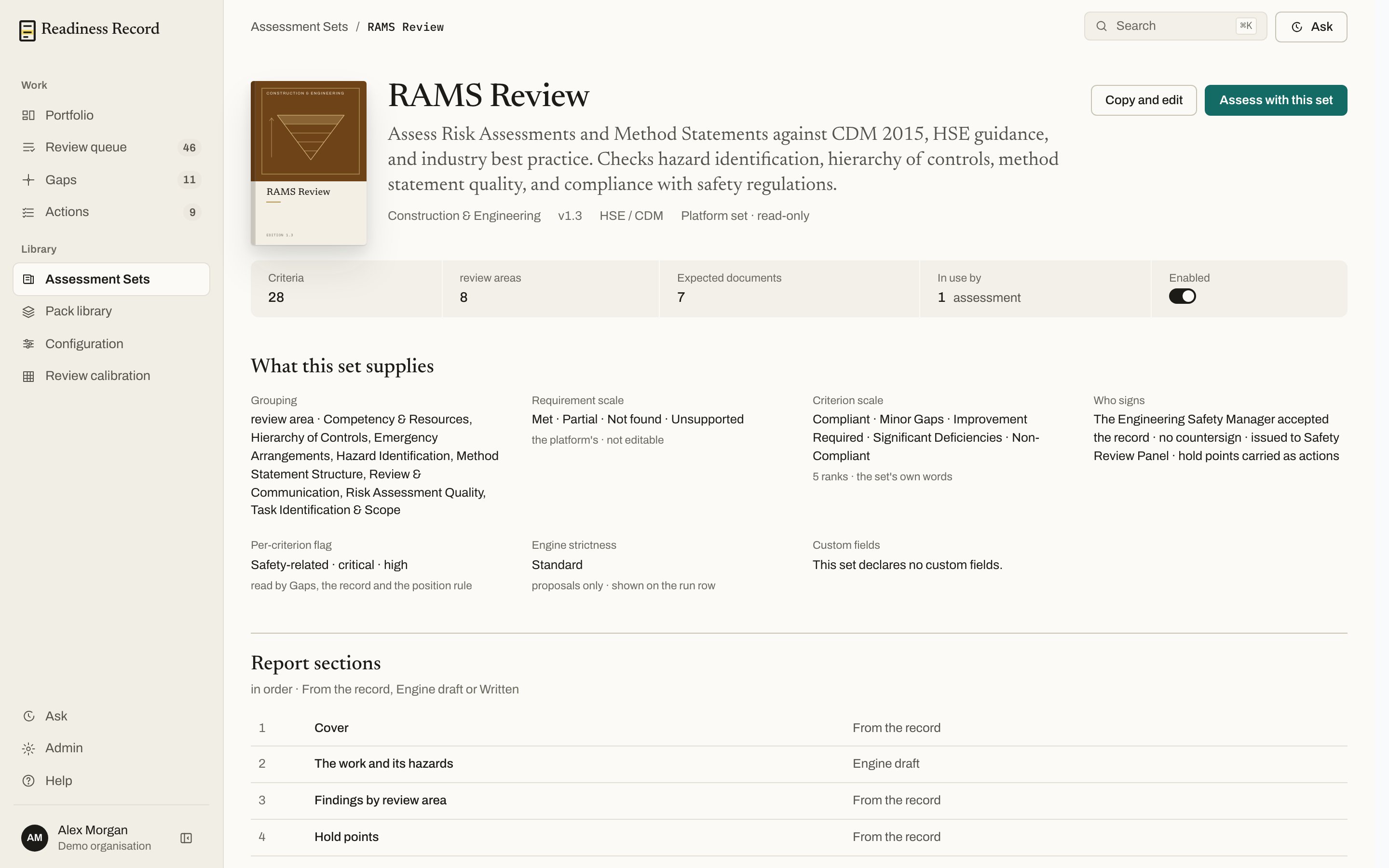
- Grouping: what the set calls its groups of criteria, and their names.
- Requirement scale: Met · Partial · Not found · Unsupported. This is the platform’s scale and cannot be edited.
- Criterion scale: the set’s own rank words, for example Compliant down to Non-Compliant.
- Who signs: who signs or accepts the record, whether anyone countersigns, and who it is issued to.
- Per-criterion flag: the flag the set puts on its most important criteria, which Gaps, the record and the position rule all read.
- Engine strictness and Custom fields.
Pack library
The Pack library is “what the organisation has put its name to, and the record of who signed for it”. A pack is a version of a set. An assessment can only start from a pack that someone in your organisation has signed off and then signed as author.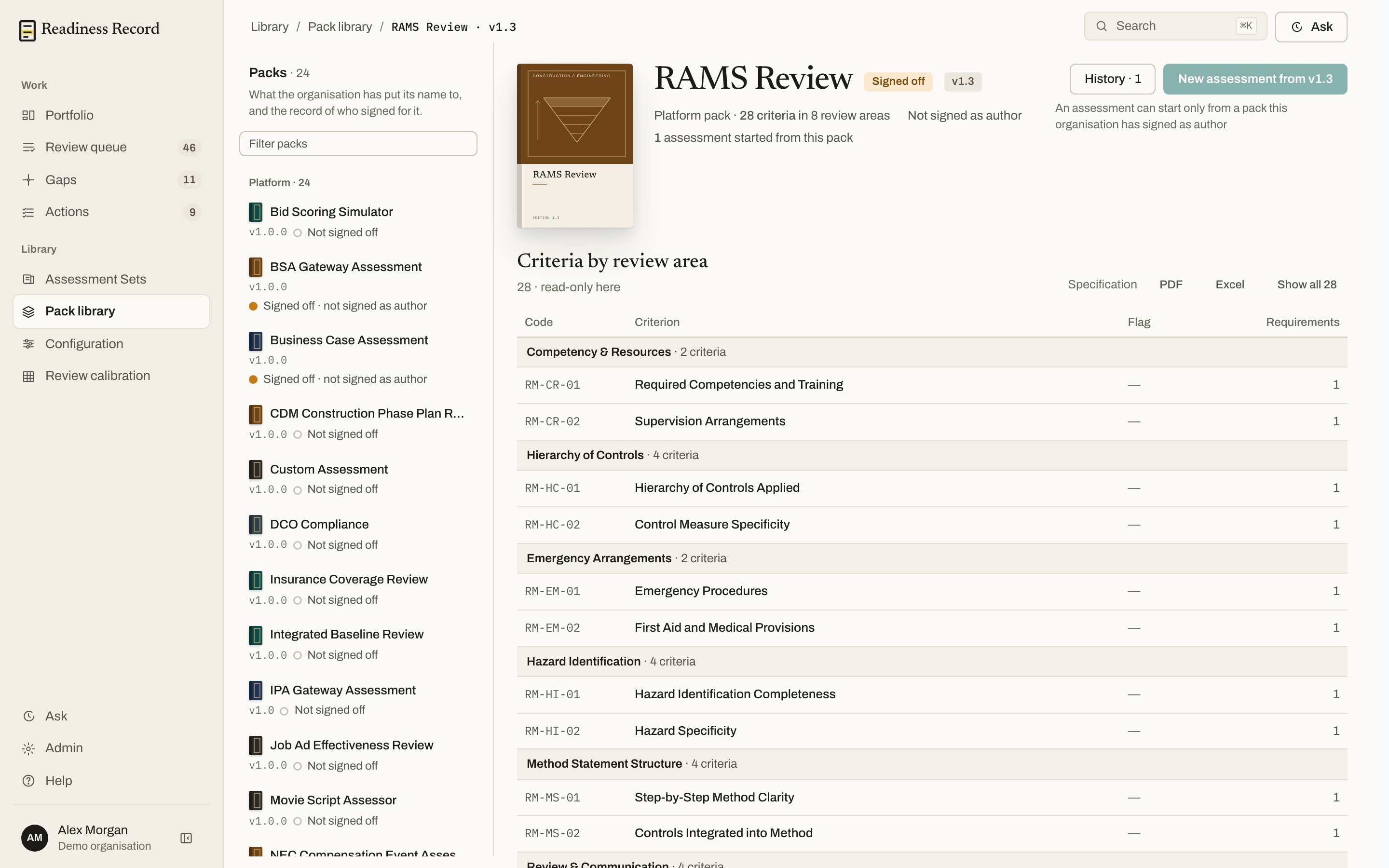
- its criteria, read-only here, with the specification to download as PDF or Excel;
- History: its versions;
- Comments on the pack;
- the Authorship record, with Sign as author. Signing as author needs the organisation owner, and the page names who that is.
Writing your own criteria
If no set covers what you need, choose Write your own criteria on the New assessment page. You can draw them from a document, from an instruction, or enter them by hand. See Running an assessment.What’s next
- Running an assessment: put a set to work
- Configuration: scoring, vocabulary and output for your organisation