
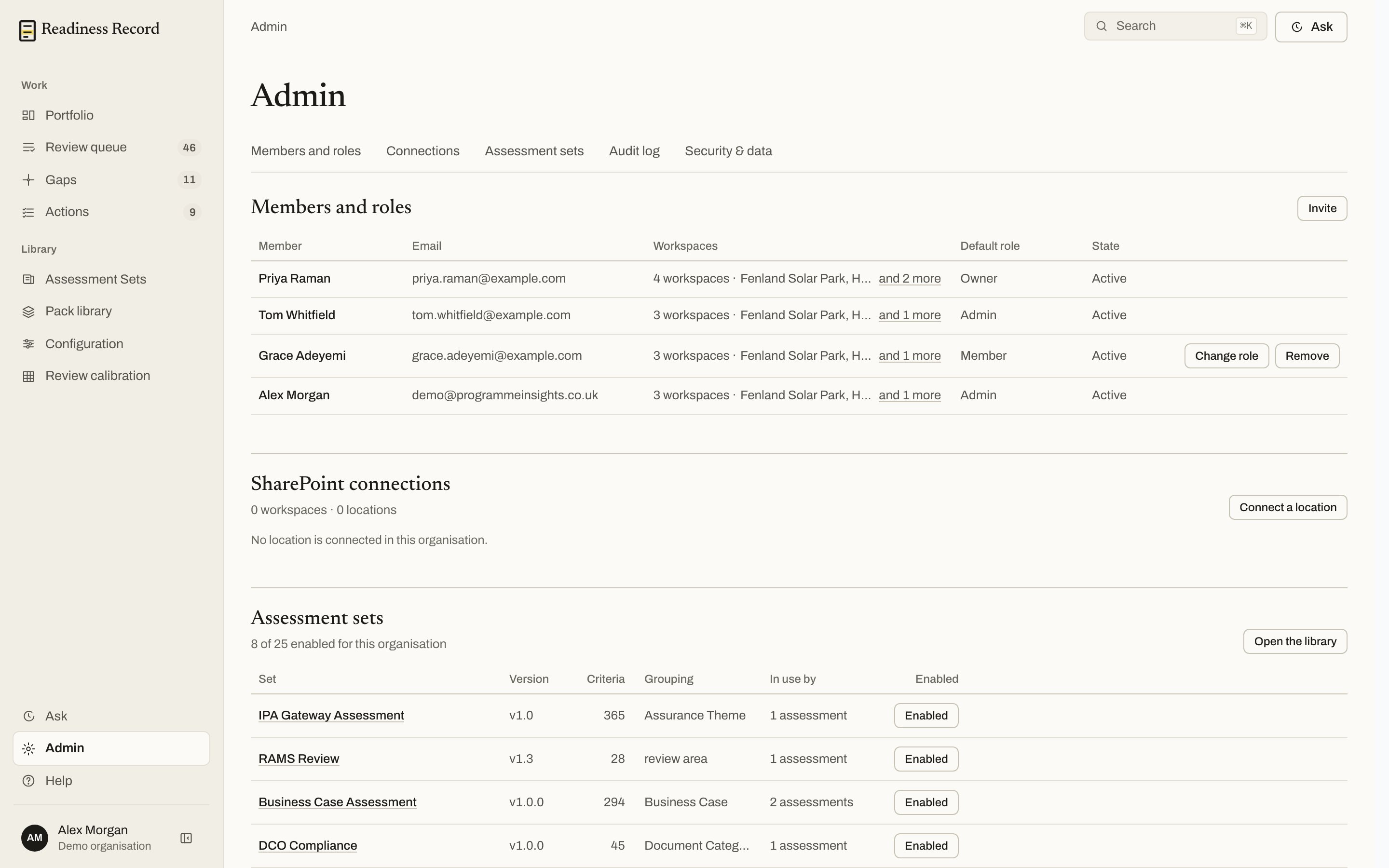
Members and roles
Every member of the organisation, with their email, the workspaces they belong to, their Default role (for example Owner, Admin or Member) and their State.- Invite adds someone.
- Change role and Remove appear on a member’s row when you may change them.
Connections
SharePoint connections lists the SharePoint locations connected across the organisation’s workspaces. Connect a location adds one.Assessment sets
Which sets are enabled for the organisation, with their version, criteria, grouping and how many assessments use each. Click Enabled or Disabled on a row to switch a set, or Open the library to go to Assessment Sets.Audit log
The Audit log records who changed what, and when.- The strip at the top counts the entries, gives the date range, and says when the log was last exported.
- The views split entries into Decisions, Records, Runs and syncs, Sets, Configuration, Members and roles and Exports.
- Filter by Actor, Object (an assessment code) and When (last 7, 30 or 90 days, or all time), or use Search.
- Each entry shows when, who, what changed, the before and after where there is one, and where. Detail opens the full entry.
- Load the next day adds older entries. Export takes the log away.
Security & data
Security & data sets out where data is stored, how it moves, and what protects it. It has three sections: Where data lives, Connections and What leaves the building. Export trust summary (PDF) downloads the same information as a document. Read the page itself for the detail. This guide does not restate it, so that there is one place to check.What’s next
- Configuration: vocabulary, scoring, fields, output and runs