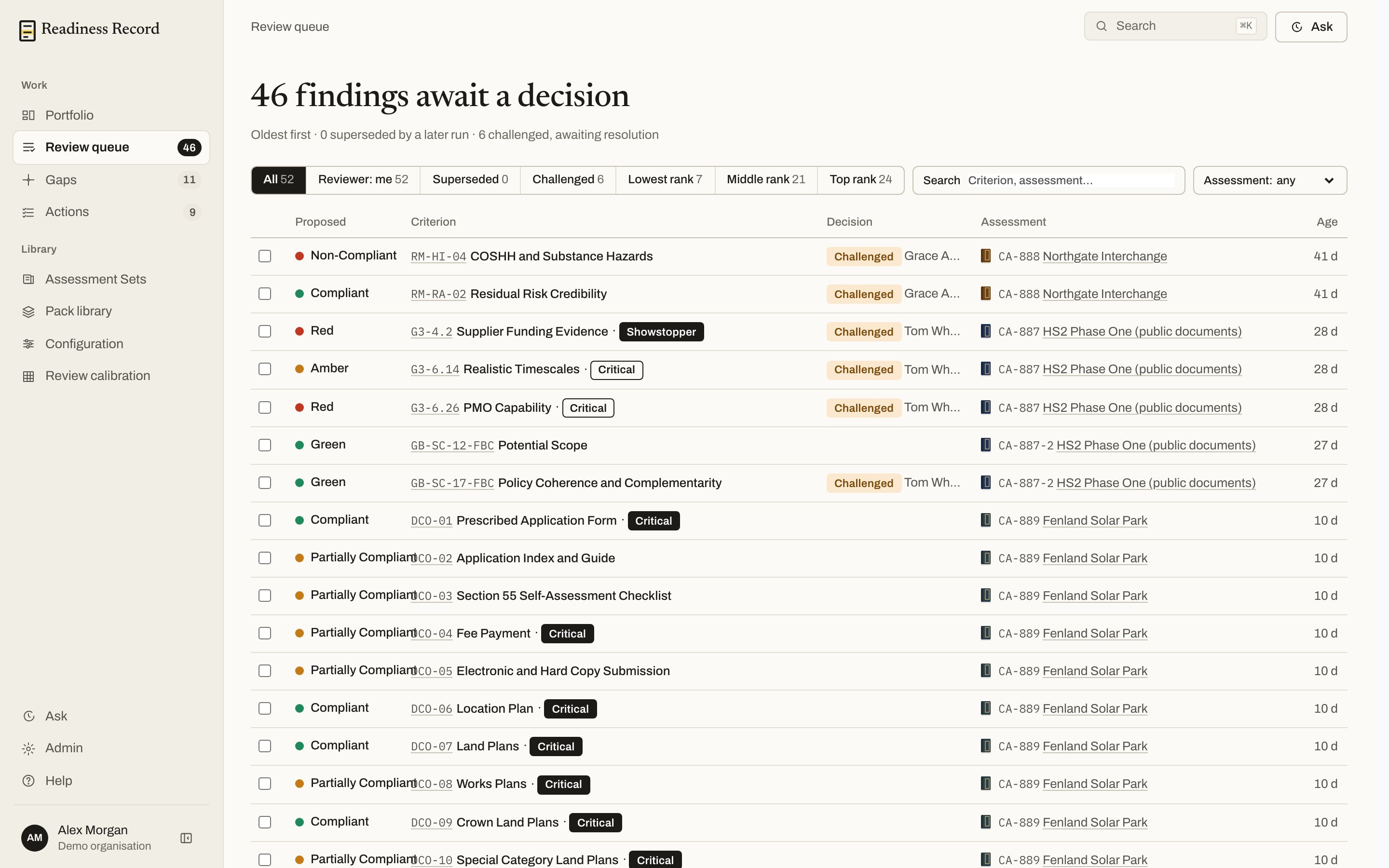
The Review queue (Work, in the left navigation) gathers every finding waiting on a decision across all the assessments you can see, oldest first. The heading is the count, for example “46 findings await a decision”, and the note under it says how many were superseded by a later run and how many are challenged and awaiting resolution. Review queue: findings awaiting a decision, with proposed rank, criterion, decision, assessment and age

Reading the queue

Each row shows:
  • Proposed: the rank the engine proposed, in the set’s own words;
  • Criterion: its code and name, with a Showstopper or Critical tag where the set flags it;
  • Decision: for example Challenged, with who challenged it;
  • Assessment: its code and workspace;
  • Age: how many days the finding has waited.
Narrow the list with the views All, Reviewer: me, Superseded, Challenged, Lowest rank, Middle rank and Top rank, with Search (criterion or assessment), or with the Assessment filter. Click a row to open that finding in Findings Review.

Deciding several at once

  1. Tick the box at the start of each row you want.
  2. At the top right, either:
    • click Accept n as proposed to accept them all in one step, or
    • click Open n selected in Findings Review to work through them one by one.
Some rows are held back from a bulk accept, and the button says how many and why. A Critical criterion proposed below the set’s top rank (for example below Green) must be decided on its own, and a row with no criterion code has nothing to record a decision against. You only see the bulk accept if you may decide every row you have selected.

What’s next