
Gaps
A gap is a specific thing the evidence doesn’t yet establish — one row per missing or partial evidence requirement, not per criterion. The Gaps tab on an assessment lists every one, with what’s missing, what document would close it, who it’s assigned to, and what it does to the position if closed.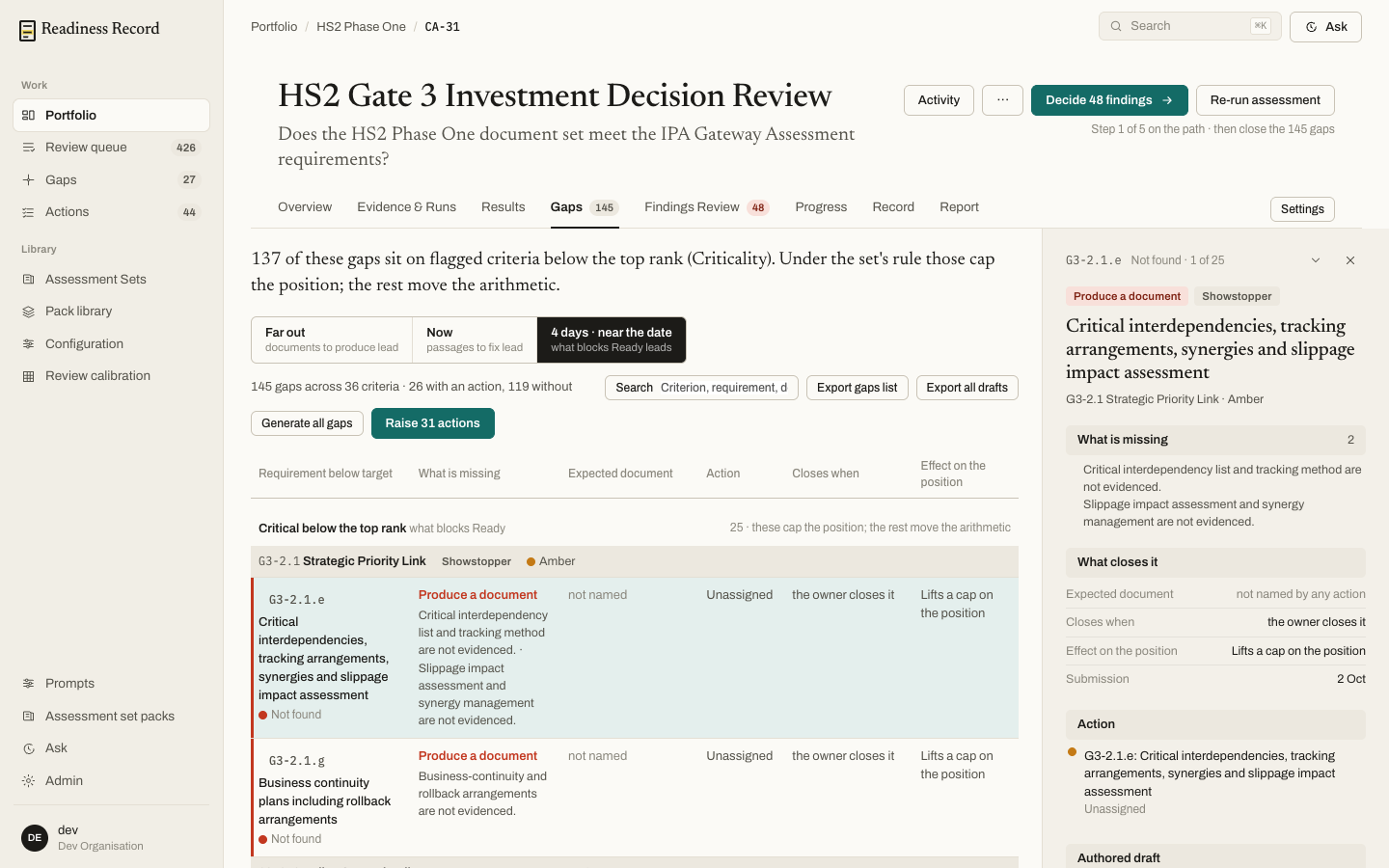 Criteria flagged Critical or Showstopper and sitting below the set’s top rank cap the whole position — closing those moves the arithmetic; the rest of the gaps do not. The tab tells you how many gaps fall into each group.
For each gap you can:
Criteria flagged Critical or Showstopper and sitting below the set’s top rank cap the whole position — closing those moves the arithmetic; the rest of the gaps do not. The tab tells you how many gaps fall into each group.
For each gap you can:
- Generate all gaps / generate a draft for one — have the engine draft the missing content, with provenance back to what it drew on.
- Raise actions — turn a batch of gaps into tracked remediation tasks in one step.
- Export gaps list or Export all drafts.
Actions
Actions (in the left rail, and per-assessment) is where remediation work is tracked once it’s been raised from a gap or a finding.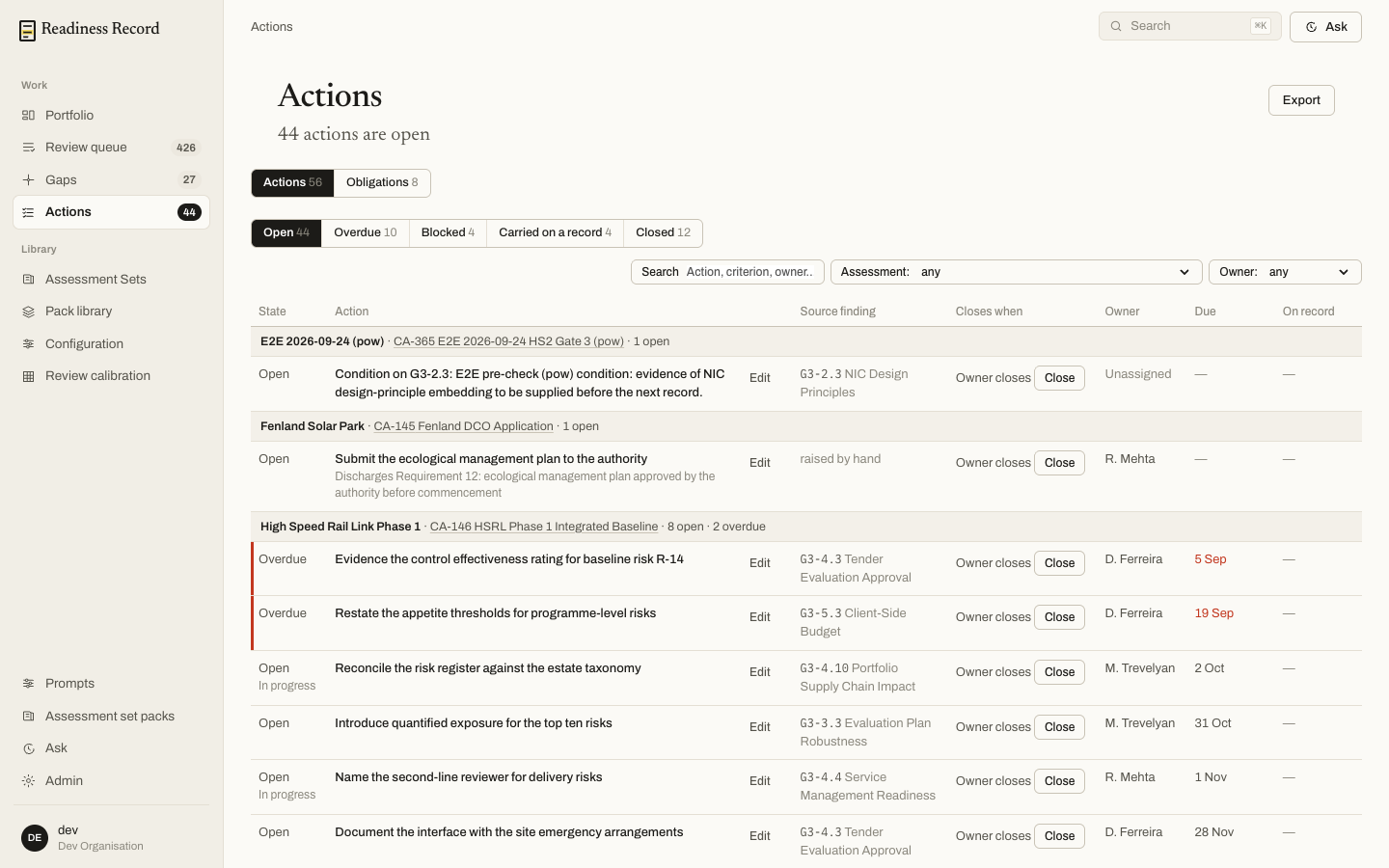 Each action has a State (Open, Overdue, Blocked, Carried on a record, Closed), an owner, when it closes (“owner closes it”), a due date, and the finding it came from. Filter by state, search, or filter by assessment or owner. Close marks an action done directly from the list; Edit opens it for more detail.
Obligations
Alongside Actions sits an Obligations tab — a smaller, separate count of standing commitments tracked the same way but distinct from one-off remediation actions.What’s next
- Progress and targets — how open gaps and actions affect whether an assessment is on track