
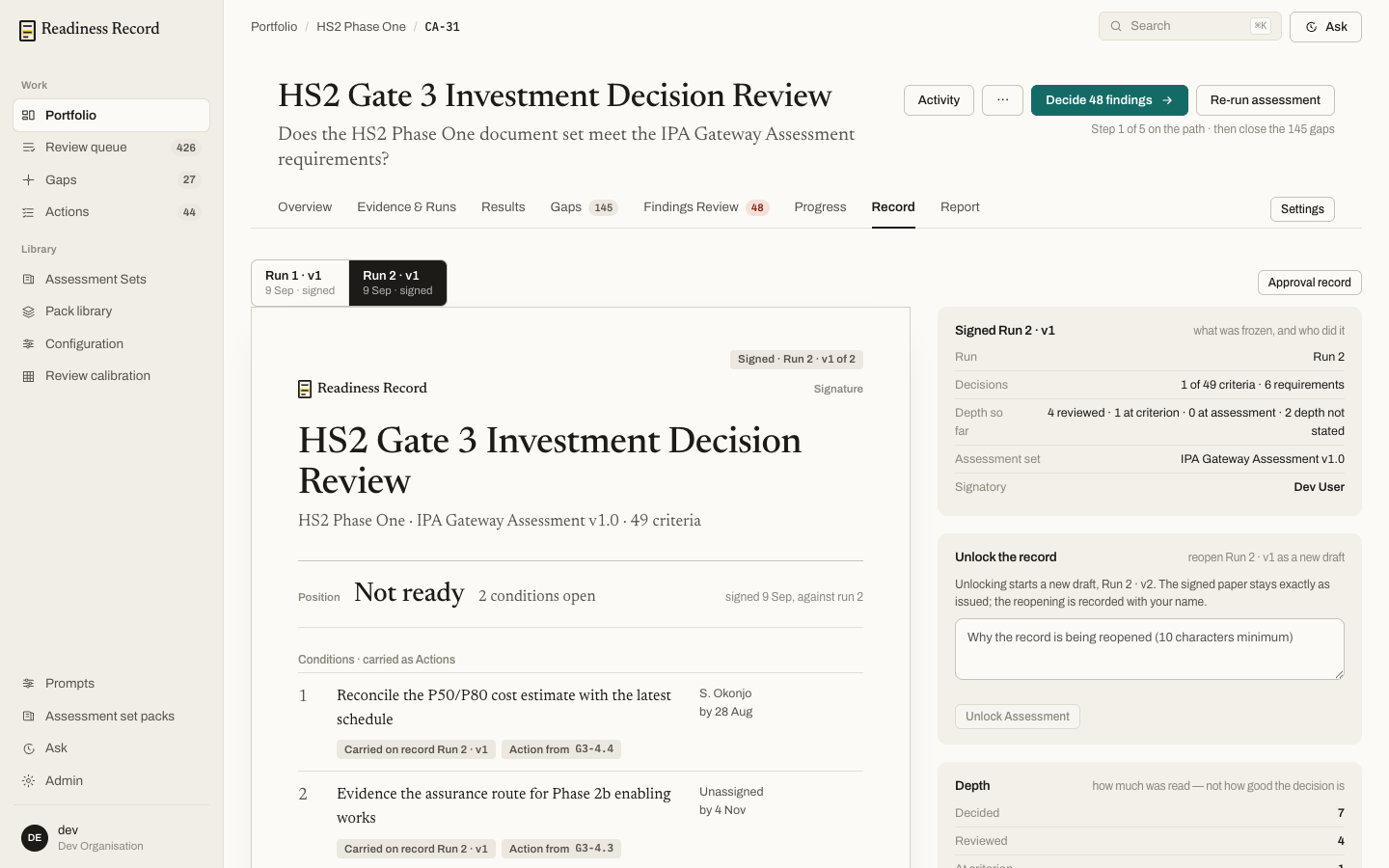
Reading a record
Tabs across the top switch between runs (e.g. Run 1 · v1, Run 2 · v1), each marked with its sign-off date. The record itself opens with the assessment’s position (e.g. Not ready), how many conditions remain open, and the conditions carried forward as actions — each with an owner and a due date.The Approval record
Approval record (top right) is the fuller version of the same signed output — what was frozen, and who did it. The side panel shows:- Signed run — which run and version, decision counts, and depth — how much of the record was reviewed at criterion level versus assessment level versus not stated. Depth measures how much was read, not how good the decision was.
- Signatory — who signed it.
Unlocking a record
A signed record is frozen; Unlock the record starts a new draft (the next run/version) without altering the signed paper — the reopening itself is recorded against your name, with a required reason (minimum 10 characters).What’s next
- Reports and exports — produce a document from this position